Audience: The instructional design and LMS team at AWHONN
Duration: 2 hours
The 2026 strategic plan set a goal of improving equitable access to member and customer education platforms. The primary performance gap was the lack of articulated accessibility standards and strategies to meet them.
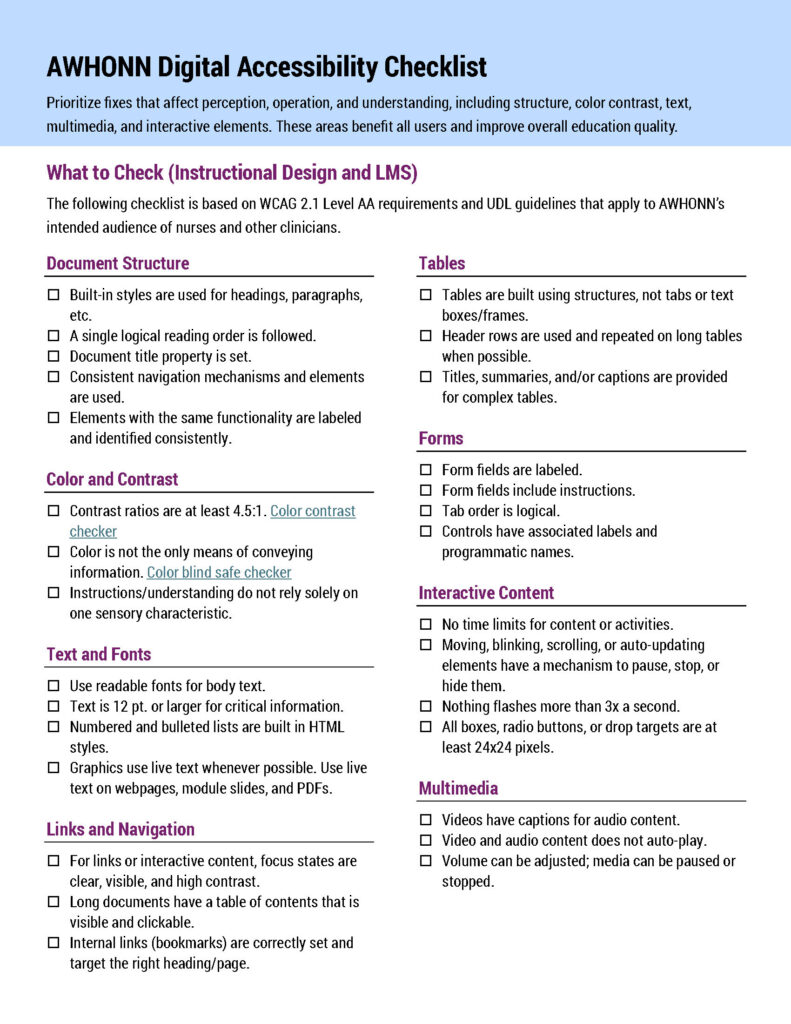
Using a combination of ADDIE and Agile frameworks, I analyzed AWHONN’s audience and business needs and developed an accessibility checklist based on WCAG and UDL. The training was developed as a practical guide to introduce accessibility concepts to the team and help them develop accessible learning experiences. The primary learning goal is to enable team members to consistently develop and deliver learning products that meet AWHONN’s stated accessibility standards.
I interviewed stakeholders and surveyed learners to analyze the learning needs. I designed, developed, and implemented all materials. The online modules were built in Articulate Storyline with AI narration from Wellsaid Labs. Custom videos were recorded and edited using SnagIt and Camtasia. The infographics were built using Adobe Illustrator and Photoshop. The project quiz and evaluation was built in Top Class LMS, which served to host the entire project. A dedicated Microsoft Teams Channel was created to encourage learner interaction, deliver technical assistance, and share questions and assignments.
Online Modules
Click the links below to view the interactive modules.
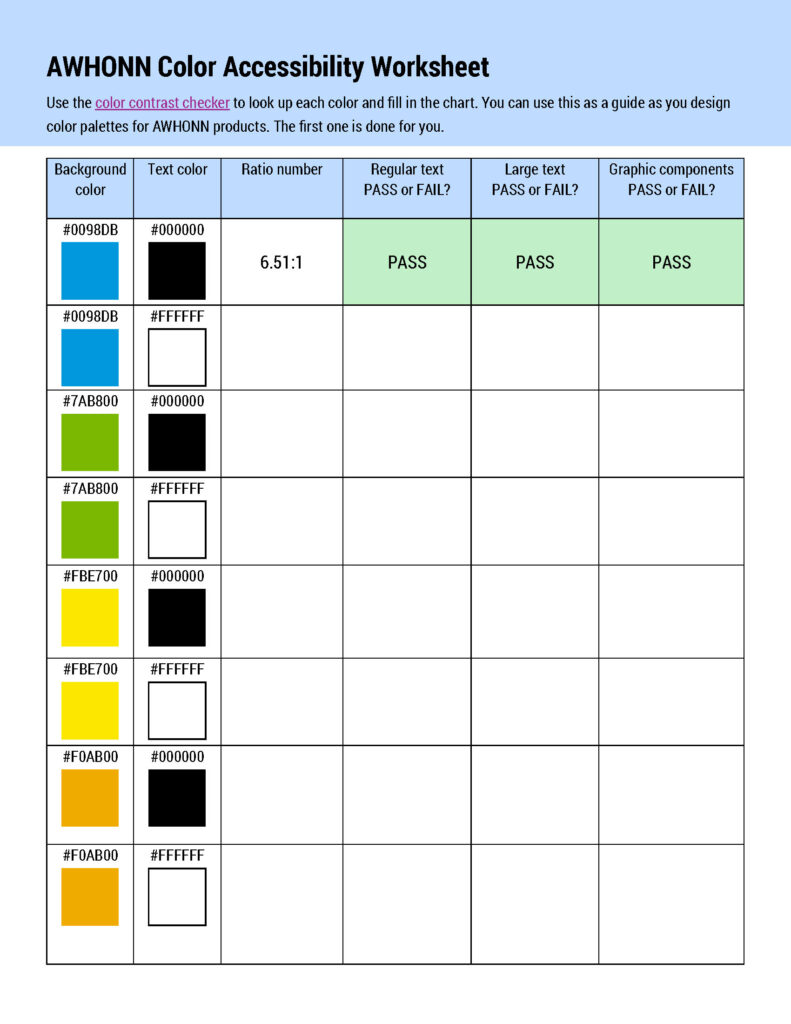
This worksheet asks learners to explore combinations of AWHONN’s corporate colors for contrast ratios. It provides practice in using contrast checkers and the completed worksheet is a handy reference. Click here or on the image to download a copy.